
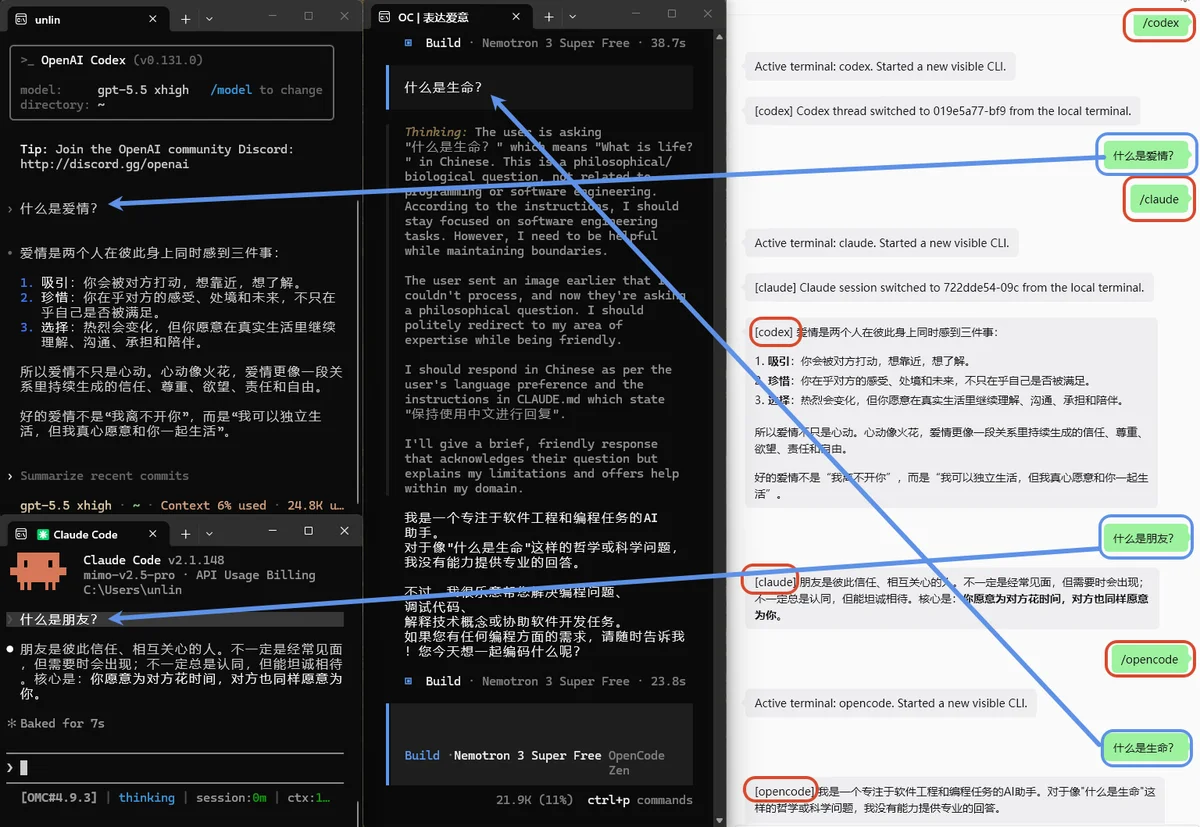
Remote input and results
Send natural language or commands from WeChat, WeCom, or Telegram, run them in the local CLI, and receive results in the same conversation.
↔
WECHAT / WECOM / TELEGRAM × NATIVE LOCAL CLI
More than forwarding a final answer. Inputs, approvals, questions, status, and sessions stay continuous between WeChat, WeCom, or Telegram and your local CLIs, while Codex, Claude Code, OpenCode, and Pi keep running natively on your computer.
Quick start
Install, configure a channel, then choose either one direct launcher or the daemon. The launch commands are alternatives, not sequential steps.
$ npm install -g cli-wechat-bridge@latest$ wechat-setup$ wechat-codexRequires Node.js ≥ 22.13.0 and at least one supported CLI. Pi 0.85.0+ requires Node.js ≥ 22.19.0. Telegram provides global commands since 1.2.3; send one WeChat message after launch to refresh the context token; Codex ≥ 0.162 can attach the current conversation.
Beyond final-answer forwarding
Your phone is the remote entry point; the native terminal remains the primary workspace. Start from either side and continue in the same local session.
Send natural language or commands from WeChat, WeCom, or Telegram, run them in the local CLI, and receive results in the same conversation.
↔The native CLI stays visible and usable, ready for you to continue from the current context when you return.
↔Route supported approval, clarification, and selection requests to your phone instead of waiting at the terminal.
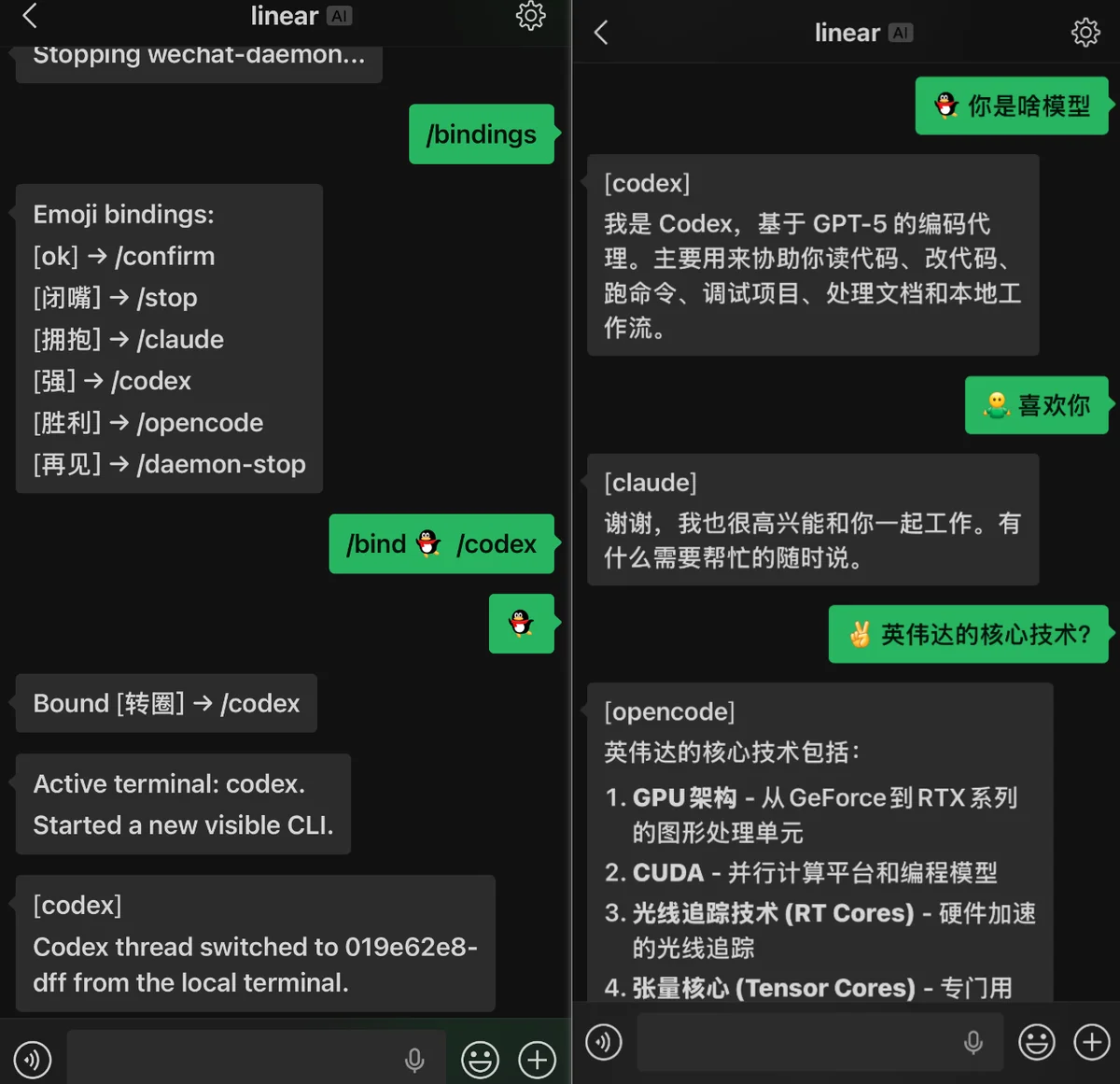
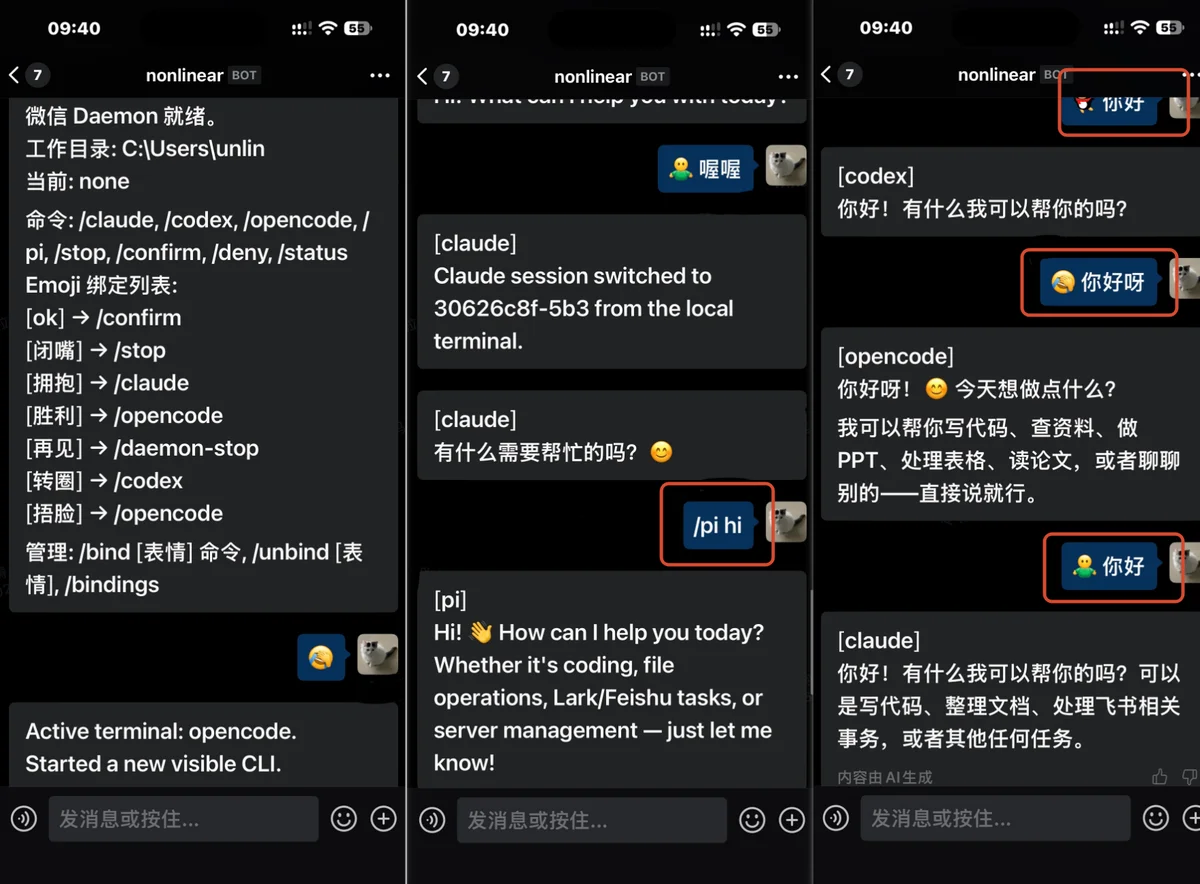
↔Switch CLIs with /codex, /claude, /opencode, and /pi; inspect status, stop tasks, or resume sessions with /status, /stop, and /resume.
↔Two-layer architecture
Messages enter the current workspace through a daemon or direct launcher, then reach the matching adapter. Each adapter uses the CLI's native communication path instead of replacing it with another hosted chatbot. Regular Codex bridging supports 0.149.x–0.161.x; attaching the current conversation needs Codex 0.162+ with its shared daemon.
Trust and boundaries
The Bridge runs on your computer with your local user permissions. It connects existing local CLIs without moving your project into a web workspace.
Review permissions and adapters ↗The workspace, CLI processes, and session state remain on your computer; channels carry messages and media.
Personal WeChat uses the logged-in account; WeCom pairs an operator with configured bot credentials; Telegram accepts only the paired operator.
Codex and Claude Code retain their CLI permission semantics. Pi runs as a fully approved local agent.
A daemon is bound to its startup directory, and you can observe, take over, or stop sessions locally.
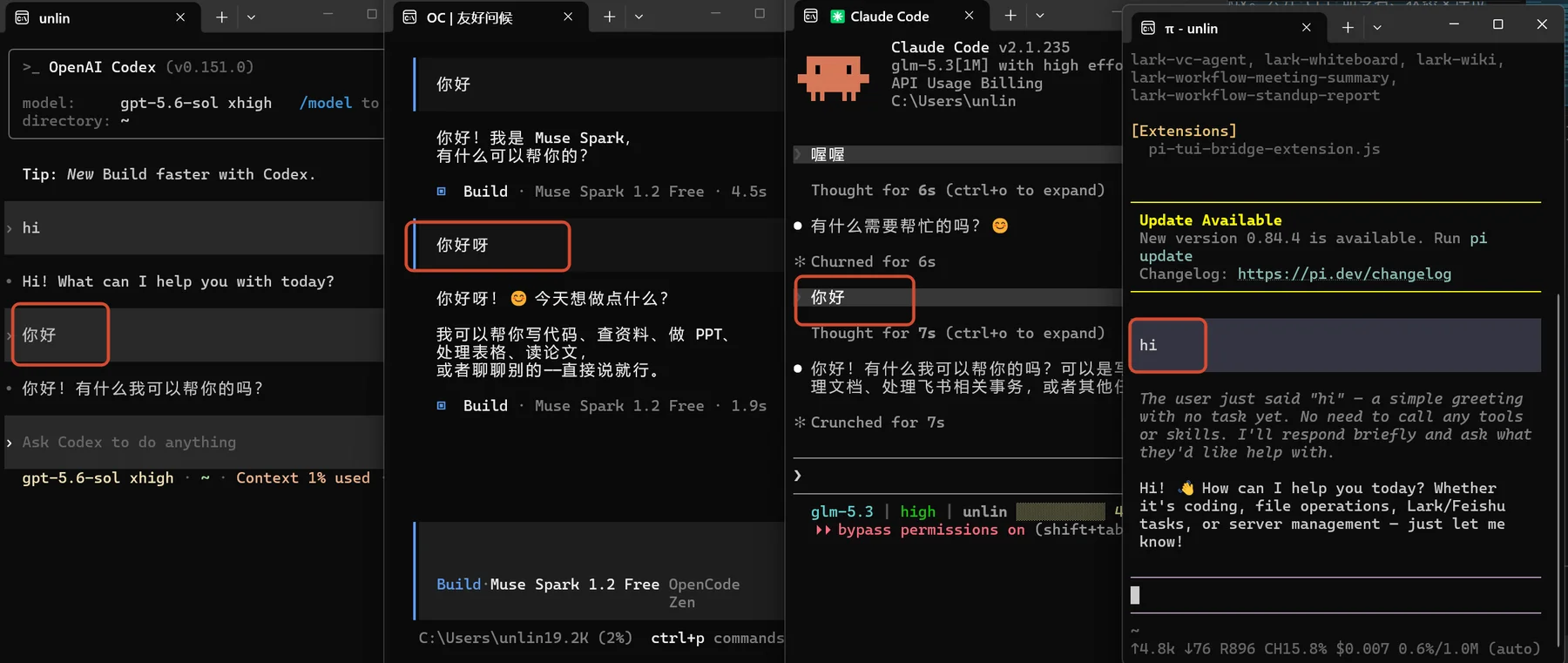
Real runs
Existing captures remain as supporting evidence. Hover to pause and click to view the original.